
Last updated on
Nov 9, 2026

CA Stanford Lucile Packard Childrens Hospital My Birth Plan 2014-2026 free printable template
pdfFiller is not affiliated with any government organization

Fill out
Complete the form online in a simple drag-and-drop editor.

eSign
Add your legally binding signature or send the form for signing.

Share
Share the form via a link, letting anyone fill it out from any device.

Export
Download, print, email, or move the form to your cloud storage.
Why pdfFiller is the best tool for your documents and forms


End-to-end document management
From editing and signing to collaboration and tracking, pdfFiller has everything you need to get your documents done quickly and efficiently.
Accessible from anywhere
pdfFiller is fully cloud-based. This means you can edit, sign, and share documents from anywhere using your computer, smartphone, or tablet.
Secure and compliant
pdfFiller lets you securely manage documents following global laws like ESIGN, CCPA, and GDPR. It's also HIPAA and SOC 2 compliant.
What is CA Stanford Lucile Packard Childrens Hospital My Birth Plan
The Birth Plan Form is a type of document used by expectant mothers to outline their preferences for labor, delivery, and postpartum care.
pdfFiller scores top ratings on review platforms




Who needs CA Stanford Lucile Packard Childrens Hospital My Birth Plan?
Explore how professionals across industries use pdfFiller.

CA Stanford Lucile Packard Childrens Hospital My Birth Plan is needed by:
-
Expectant mothers planning for childbirth
-
Healthcare providers assisting in labor and delivery
-
Partner or designated support persons during delivery
-
Medical staff preparing for postpartum care
-
Maternity clinic administrators managing patient consent
Comprehensive Guide to CA Stanford Lucile Packard Childrens Hospital My Birth Plan
What is the Birth Plan Form?
The Birth Plan Form is a crucial document for expectant mothers, designed to outline preferences and wishes for their labor and delivery experience. It serves as a communication tool, ensuring that healthcare providers understand the specific desires of the mother. Key components of the form include details on labor preferences, pain management options, and postpartum care wishes.
By articulating their delivery wishes within the form, patients empower themselves and their healthcare teams to create a more personalized birthing experience. This proactive engagement helps ensure that the mother’s preferences are considered throughout the birthing process.
Purpose and Benefits of the Birth Plan Form
The Birth Plan Form provides several advantages for both the expectant mother and the healthcare team. First, it helps prepare the team for the delivery, minimizing potential misunderstandings or miscommunications. The form also ensures that the mother’s preferences will be respected during labor and delivery.
-
Clarifies birthing wishes, reducing anxiety for expectant mothers.
-
Facilitates discussions between patients and their healthcare providers.
-
Enhances support for natural birth or C-section preferences.
Key Features of the Birth Plan Form
The Birth Plan Form is designed with several important features that facilitate user engagement. It includes sections for induction preferences, pain relief options, and the presence of attendants during labor. Additionally, mothers can add personal notes regarding newborn procedures and other specific wishes.
-
User-friendly checkboxes allow quick selections of preferences.
-
Blank fields enable detailed, personalized input.
-
Accessible format for enhanced communication with healthcare providers.
Who Needs the Birth Plan Form?
This form is essential for all expectant mothers, especially those who wish to communicate their unique birthing preferences. Partners and family members play a vital role in supporting the creation of the Birth Plan Form, as they can provide insights and reassurance during discussions with healthcare providers.
Mothers with specific medical conditions or those who have had previous birth experiences should complete the Birth Plan Form to ensure their medical history and personal preferences are adequately addressed.
How to Fill Out the Birth Plan Form Online (Step-by-Step)
Filling out the Birth Plan Form online using pdfFiller is a straightforward process. Follow these simple steps to complete the form:
-
Access the Birth Plan Form on pdfFiller.
-
Fill in personal information and preferences in the designated sections.
-
Review each field carefully to ensure clarity and completeness.
-
Use provided checkboxes to indicate specific wishes easily.
-
Make sure the form is legible and clear before submission.
Common Errors and How to Avoid Them When Filling Out the Birth Plan Form
When completing the Birth Plan Form, users should be vigilant to avoid common mistakes. Frequent errors include leaving sections blank or not fully understanding the questions. Clear communication is key, so avoid making assumptions about what needs to be expressed.
Before submitting the form for review, validate all information to ensure accuracy and completeness.
How to Sign the Birth Plan Form
Signing the Birth Plan Form can be done either digitally or with a wet signature. It is essential to have appropriate individuals present during the signing process to ensure all parties agree on the preferences outlined. Best practices for managing and sharing signed documents securely should always be followed.
Submission Methods for the Birth Plan Form
Once the Birth Plan Form is completed, users must submit it to their chosen healthcare provider or hospital. Common submission methods include online uploads or in-person handover. Following up with the healthcare provider after submission can confirm that the form has been received and reviewed.
Security and Compliance in Handling the Birth Plan Form
Using pdfFiller to complete the Birth Plan Form assures users of safety and compliance with appropriate regulations. The platform incorporates robust security measures, including encryption, to safeguard sensitive patient information. Moreover, pdfFiller complies with HIPAA and GDPR standards, emphasizing the importance of secure document management.
Experience Seamless Completion of Your Birth Plan Form with pdfFiller
Utilizing pdfFiller offers a user-friendly interface for creating and managing your Birth Plan Form effectively. The platform's features make it easy to fill out forms securely and efficiently. Start using pdfFiller today to streamline the process of preparing your Birth Plan Form.
How to fill out the CA Stanford Lucile Packard Childrens Hospital My Birth Plan
-
1.Access the Birth Plan Form on pdfFiller by entering the provided link or searching for the document name in the pdfFiller search bar.
-
2.Once opened, familiarize yourself with the layout of the form. The interface allows you to click on different sections to fill out your preferences easily.
-
3.Before starting, gather essential details such as your labor preferences, pain management options, desired delivery methods, and your wishes for postpartum care.
-
4.Begin filling in the form by clicking on checkboxes next to your preferences, such as induction options or chosen attendants present during labor.
-
5.Utilize the blank fields provided to input any specific wishes, such as 'I would like to discuss the option of induction' or restrictions on attendees.
-
6.Ensure all required fields are completed accurately and double-check your inputs for clarity and completeness.
-
7.Once you have filled in your preferences, review the entire form to ensure you are satisfied with your choices and nothing is left incomplete.
-
8.After reviewing, save your progress by clicking the save option available at the top of the pdfFiller interface to keep your data secure.
-
9.Finally, download or submit the completed Birth Plan Form directly from pdfFiller using the options provided, making sure to follow any specific submission instructions required by your healthcare provider.

Who is eligible to fill out the Birth Plan Form?
The Birth Plan Form is primarily for expectant mothers who wish to express their preferences for childbirth, but can also involve input from partners or support persons.
Are there any deadlines for submitting the Birth Plan Form?
While specific submission deadlines may vary, it’s recommended to complete the Birth Plan Form well in advance of your due date to give healthcare providers ample time to prepare.
How do I submit the Birth Plan Form?
You can submit the Birth Plan Form either electronically through pdfFiller or print it out to deliver it in person to your healthcare provider's office.
What supporting documents do I need when submitting this form?
Generally, no additional documents are required, but it’s helpful to have your medical history and any relevant preferences documented for easier communication with your healthcare team.
What are common mistakes to avoid while filling out the form?
Common mistakes include overlooking optional preferences, leaving sections blank, and not communicating personal wishes clearly. Review carefully to avoid these.
How long does it take to process the Birth Plan Form?
Processing times may vary by healthcare provider, so it’s advisable to confirm with them directly how long they will take to review your Birth Plan after submission.
Can I modify my Birth Plan after submission?
Yes, you can update your Birth Plan. Communicate any changes to your healthcare provider as soon as possible to ensure they are aware of your current preferences.
Related Forms

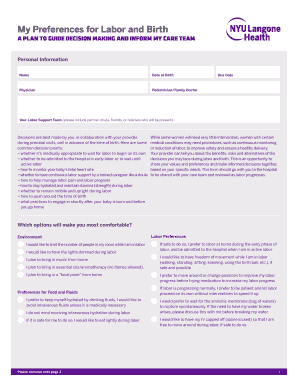

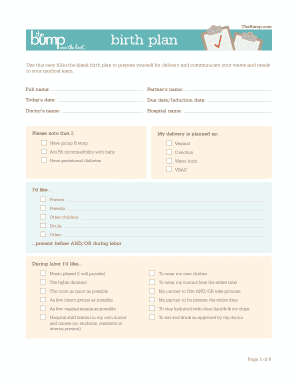

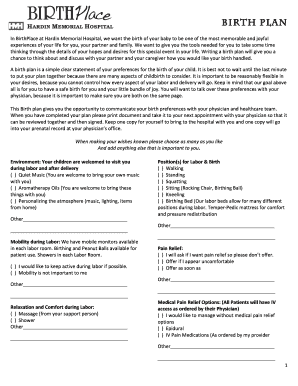


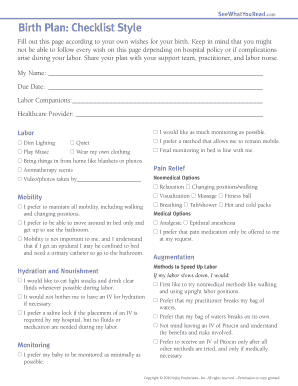

Related Catalogs
Get the latest insights from our blog


If you believe that this page should be taken down, please follow our DMCA take down process
here
.
This form may include fields for payment information. Data entered in these fields is not covered by PCI DSS compliance.